Your coding agents,
right in the notch.
Keep Claude and Codex usage in sight, and your flow uninterrupted. A small native Mac app that makes the most of the space beside your camera.
Free & open source · macOS 13+ · Apple Silicon


Less switching.
More making.
No notch? No problem. Nocci becomes a small pill at the top of your screen.
01 / TAKE A CLOSER LOOK
Everything, one hover away.
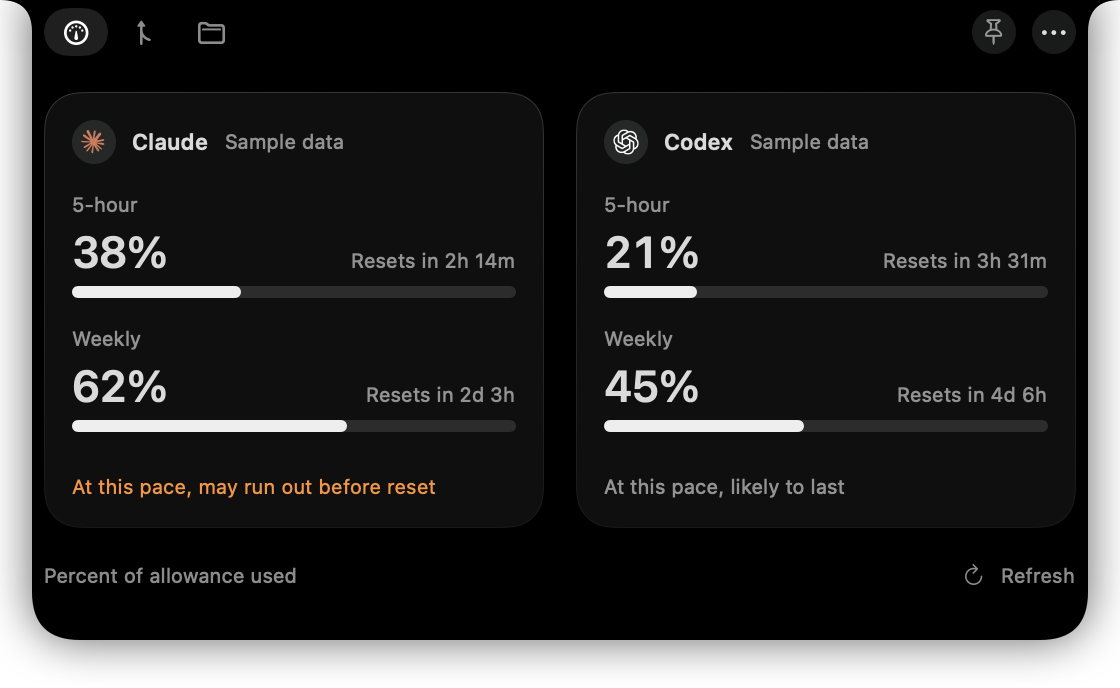
The notch opens into a black panel with a tab for each thing you have turned on. Hover to open it, pin it to keep it open, or set it to open only on a click.
Percentages are the share of your subscription allowance used, as Claude Code and Codex report it. A missing number shows as a dash, never as zero.
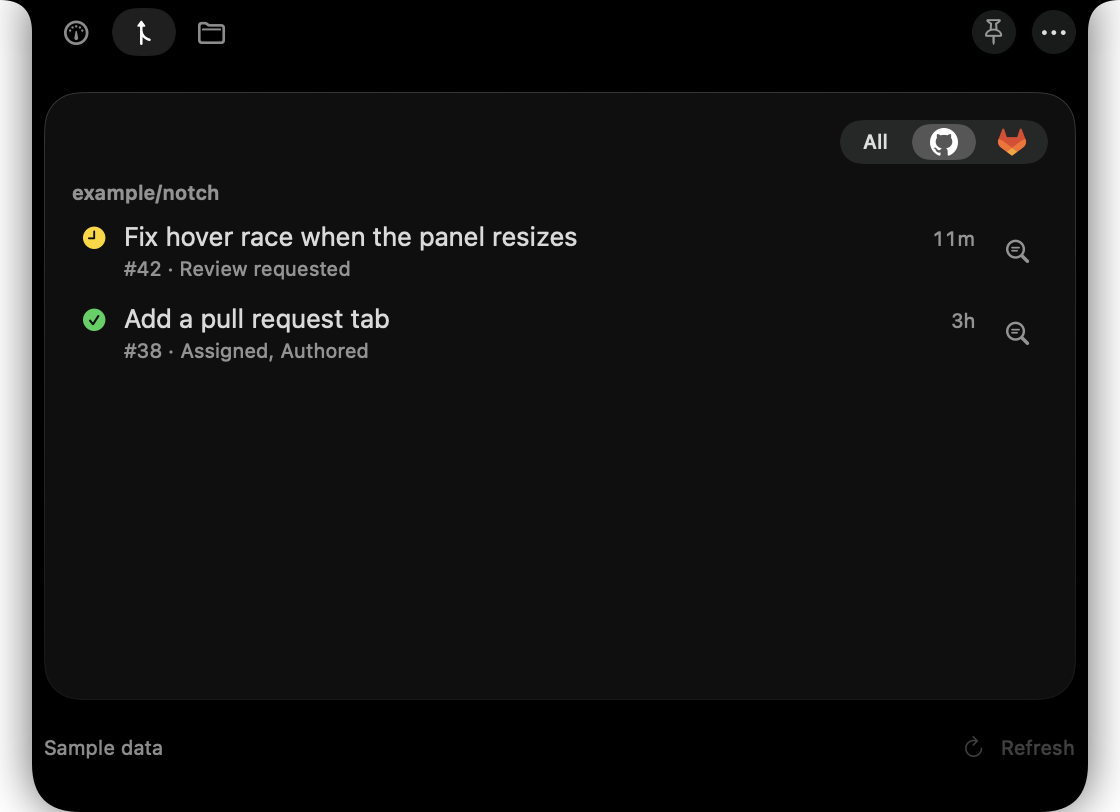
Open GitHub pull requests and GitLab merge requests with their CI status, grouped by repository. Each row has a Code Review button that starts an agent on it (experimental).
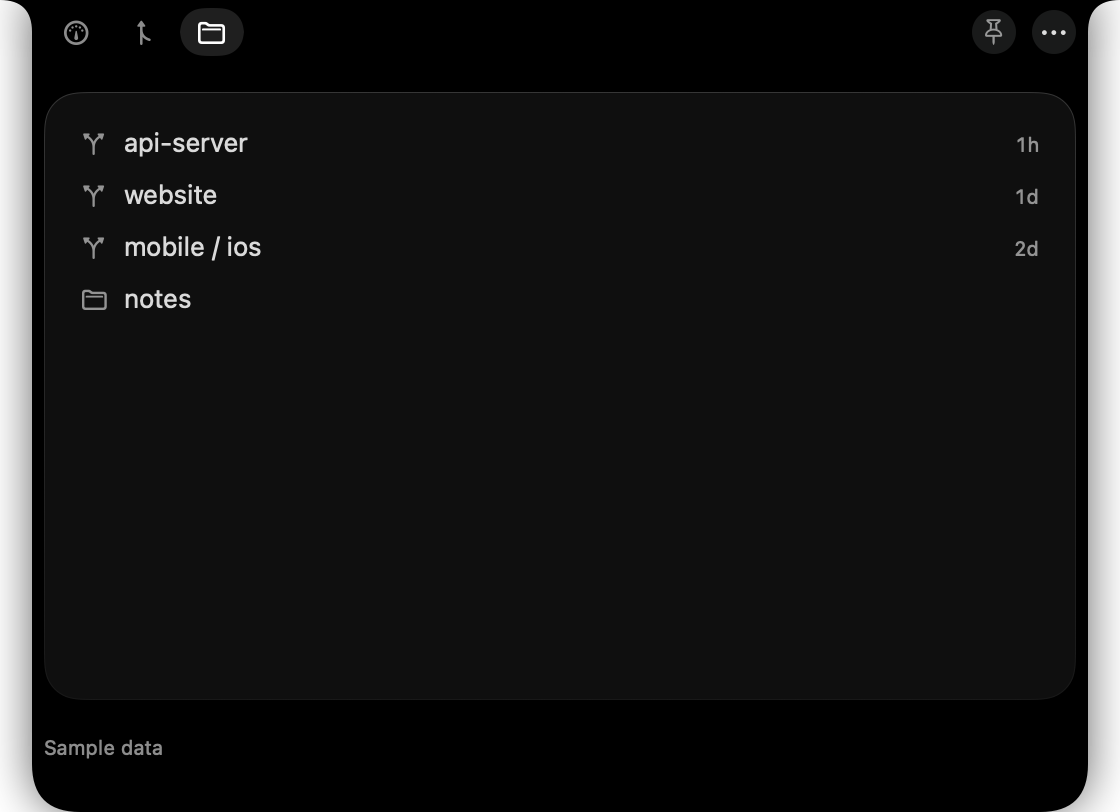
The projects in folders you choose, most recently worked on first. Pick one, type a prompt, and start Claude Code or Codex there.
02 / YOUR WORKFLOW, YOUR CALL
Small app. Room to do more.
Out of the box Nocci shows usage and nothing more. Each of these is off until you turn it on.
- Pull requests
- Your open pull requests and merge requests, with CI status, read through your own
ghandglab. Click one to open it in the browser. - Sessions
- A dot on the notch when a Claude Code session needs your permission, asks a question or finishes its turn, and a list of them to jump back to. Fed by Claude Code hooks that Nocci installs beside your own.
- Projects
- Start Claude Code or Codex in a project, with an optional first prompt, in Terminal, iTerm2, VS Code, the Codex app or Nocci's own terminal.
- Alerts
- A macOS notification at usage levels you choose, and when a window resets. Clicking it opens the notch.
- Pace
- Whether, at your current rate, a window is likely to last until it resets. Shown on the card, never as a number you have to interpret.
- History
- Local usage history in a chart, kept on your Mac for as long as you choose.
- Presentation mode
- Hides the notch's contents and sends no notifications while you share your screen.
- Nocci terminal
- Run an agent in a window that drops down from the notch, or inside the notch itself, and answer it from the Sessions list. Experimental: this is the newest and least tried part of Nocci, and it says so in the app.
03 / LOCAL BY DESIGN
Your Mac. Your data.
Nocci has no server and no telemetry. Claude usage comes from a status line that Claude Code already computes; Codex usage comes from the Codex app or CLI you already have; pull requests come through gh and glab, so Nocci never sees a token. The only network request Nocci makes itself is the update check, and you are asked once whether it may make that.
Setup is reversible: every change Nocci makes to your Claude settings is backed up first, and Settings can undo it.
04 / GET STARTED
Make yourself at home.
Three steps, and your agents are just a glance away.
- Move in. Download the ZIP from the latest release, unzip it and move Nocci to Applications.
- Allow the first launch. Open it. Nocci is not signed with an Apple Developer ID, so macOS blocks the first launch. Click Done on the warning, then go to System Settings, Privacy & Security, and click Open Anyway. Once.
- Connect your agents. Nocci opens Settings. Choose Enable Usage Tracking for Claude Code, and sign in to Codex with
codex loginif you use it. Your numbers appear after the next answer.
Claude usage needs a Pro or Max plan and Claude Code 2.1.251 or later running in a terminal; the VS Code extension does not send it. The setup guide covers every feature, troubleshooting, and building from source.